Form Preview

Validate, test, and experience operational forms exactly as end users will before publishing.
AutoOps provides a comprehensive preview environment that replicates the real submission experience, including layout rendering, dynamic behavior, validations, role-based visibility, calculated logic, and data readiness checks. Form creators gain full confidence that what they build is exactly what users will interact with in production.
The Prolem
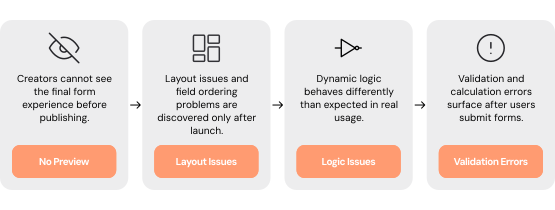
Operational forms are frequently published without complete visibility into how they will behave in real-world usage. What appears correct in configuration often behaves differently when users interact with it under real conditions. Layout inconsistencies, broken conditional logic, misconfigured validations, and role-based rendering differences surface only after go-live. This leads to submission errors, workflow failures, user frustration, and time-consuming rollbacks.

Critical Pain Points
No True End-User Simulation
Form creators configure logic but cannot experience the exact interface users will see before publishing.
Layout & Structural Surprises
Field ordering issues, misaligned columns, or section misplacements are discovered only after deployment.
Conditional Logic Misfires
Show/hide rules, calculated dependencies, and mandatory conditions behave differently when triggered in live scenarios.
Validation & Calculation Gaps
Errors in default values, auto-filled fields, or formula-driven outputs surface only after real submissions.
Role-Based Visibility Inconsistencies
Forms render differently for different user roles, but creators lack visibility into each version before launch.
Our Solution
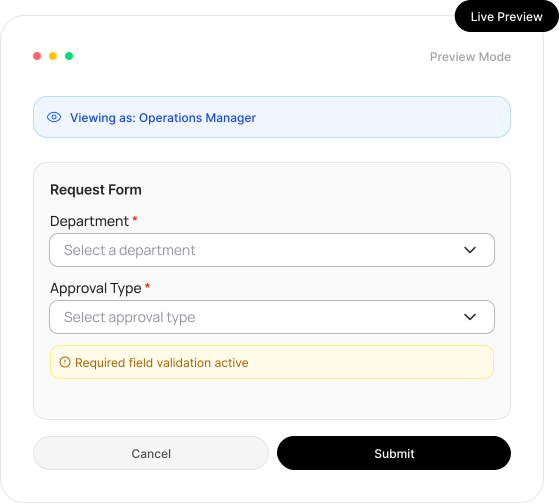
A built-in production-grade preview engine designed to eliminate uncertainty before publishing. AutoOps allows creators to simulate the full lifecycle of a form; from user interaction to submission; within a controlled preview environment. Every rule, layout decision, validation, and role-based configuration is rendered exactly as it will appear in production.
Get Started
How it Works
End-User Simulation Mode
Experience the form exactly as a real user would.
Role-based rendering simulation
User-context driven field visibility
Realistic submission flow testing
Real-Time Layout Rendering
Validate the structural integrity and usability of the form before publishing.
Live rendering of sections and grouped fields
Accurate multi-column layout visualization
Responsive spacing and ordering confirmation
Dynamic Logic & Conditional Testing
Test every rule and edge case before users encounter it.
Conditional show/hide rule simulation
Context-aware mandatory field enforcement
Calculated field output verification
Live Validation & Data Accuracy Checks
Ensure data integrity at the point of capture.
Default value verification
Auto-filled field accuracy testing
Formula and calculation result checks
Workflow & Data Readiness Verification
Confirm that submitted data is automation-ready.
Field mapping validation
Required data completeness checks
Submission payload inspection
Who Benefits
Operational confidence extends across every team that relies on structured data intake and automation.
Operations Teams
Launch forms without fear of downstream errors
Reduce post-launch corrections and manual fixes
Improve submission quality from day one
Business Process Owners
Validate complex logic safely
Test real-world edge cases
Ensure workflows receive clean, structured data
IT & Governance Teams
Minimize production incidents
Prevent automation failures caused by bad data
Maintain controlled deployment standards
Leadership & Founders
Increase operational reliability
Reduce risk in digital transformation initiatives
Accelerate experimentation without operational disruption
Business Impacts
Reduced Post-Launch Errors
Fewer logic and validation mistakes reach production environments.
Improved User Experience & Adoption
Clean, intuitive forms increase submission accuracy and completion rates.
Eliminated Costly Rollbacks
Forms are validated thoroughly before publishing, preventing emergency fixes.
Accurate Workflow Execution
Automation receives validated, structured data every time.
Simulate Real User Interactions to Ensure Forms Work Flawlessly Before Go-Live
See how AutoOps eliminates uncertainty from operational form publishing. Test dynamic logic, validate layout, simulate roles, and confirm workflow readiness; all before going live. Build with precision and publish with confidence.