Workflows

Visual Process Automation for Modern Operations

Build, deploy, and manage automated workflows without code. Connect your systems, orchestrate complex processes, and scale operations with enterprise-grade control.
What Are Workflows?

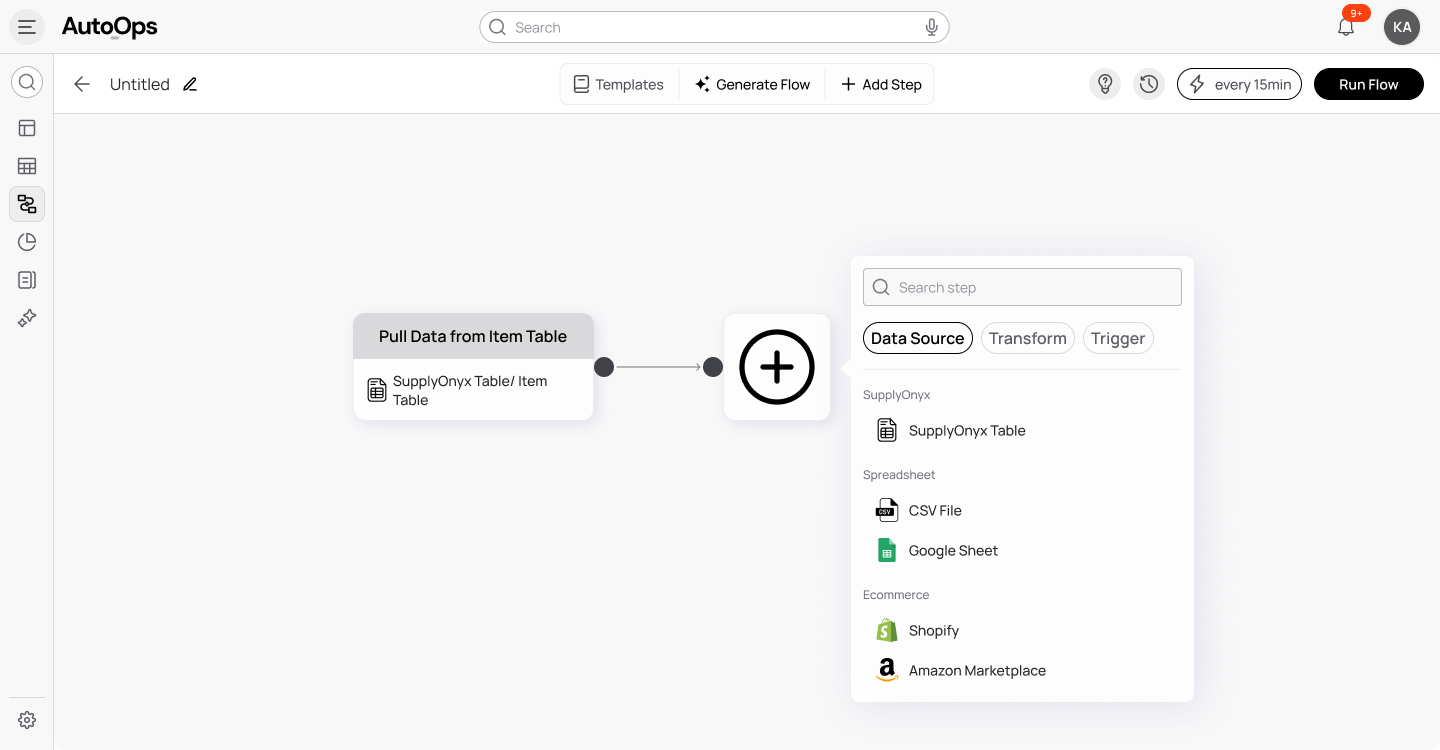
Workflows are the orchestration engine inside AutoOps. They allow you to visually map how work moves across your organization. Approvals, validations, escalations, data updates, notifications, system actions, and AI decisions all come together inside one intelligent process. When something happens in your operations, the system already knows what to do next. AutoOps workflows eliminate approval delays, prevents missed steps, and enforces rules consistently.
How It Works

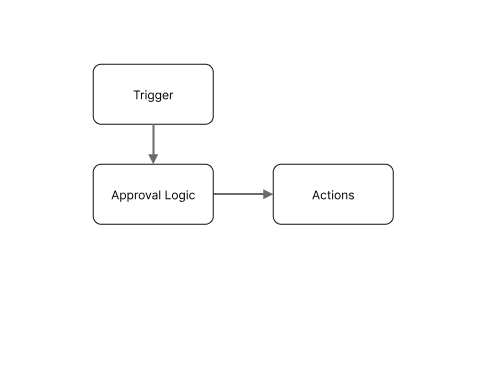
1. Choose a Trigger
Workflows begin when something happens. This could be a form submission, a data update, a scheduled event, an SLA threshold being crossed, or a manual initiation.
2. Define the Logic
Use simple visual conditions to define how decisions are made. Route high-value purchase orders for senior approval. Escalate vendors with low performance ratings. Send incomplete submissions back for correction. Enforce compliance automatically.
3. Add Actions
Once a decision is made, the system acts. It can assign tasks, update records, notify teams, generate reports, trigger AI analysis, or push data into connected systems.
4. Connect Systems
Coordinate across ERP platforms, finance tools, communication apps, and other AutoOps modules. Your workflow becomes the control layer that connects data, decision making, and outcomes.
5. Monitor and Improve
Track execution in real time. See where delays happen. Review logs. Adjust logic instantly as your operations evolve.

Core Capabilities

Visual Workflow Builder
Design processes using a drag-and-drop interface that feels intuitive and clear. Every step is visible. Every branch is mapped.
Advanced Conditional Logic
Create multi-layered decision trees based on thresholds, calculated fields, business rules, or data relationships.
Embedded AI Intelligence
Bring intelligence into everyday operations. AI agents can flag anomalies, summarize data, recommend actions, monitor risk, and proactively trigger follow-ups.
Cross-System Orchestration
Update ERP records, notify stakeholders in Slack, create finance entries, and manage documentation in one continuous flow.
Event and Schedule Automation
Run recurring checks, monitor deadlines, trigger periodic reports, and ensure compliance without manual intervention.
Full Execution Transparency
Access detailed logs, workflow history, version control, and performance dashboards. Every action is traceable.

Why AutoOps Workflows are Different

Most tools automate isolated tasks; AutoOps orchestrates entire operations.

Capability

Manual Processes

Legacy Solutions

AutoOps Workflow

No-code design
Not Available
Limited
Limited
AI-driven actions
Not Available
Not Available
Limited
Cross-system orchestration
Limited
Limited
Limited
Business-user friendly
Not Available
Not Available
Limited
Real-time operational monitoring
Not Available
Limited
Limited
Unified with data & interfaces
Not Available
Not Available
Limited
AutoOps combines data, workflows, and interfaces in one unified operational layer, not fragmented automation tools.

The Impact

When workflows are automated and structured, teams experience:

Automation is not just about efficiency. It is about clarity, accountability, and confidence in how work gets done.

Built for Operations Teams

Operations teams should not need developers to improve their processes.

With AutoOps Workflow, business users can design, modify, and deploy automation independently. As your processes evolve, your workflows evolve with them. You stay agile without sacrificing control. This is structured automation made accessible.

Governance and Control

Flexibility does not come at the cost of oversight.

AutoOps provides role-based permissions, approval checkpoints, version control, execution history, and complete audit trails. Every change is documented. Every action is traceable. You maintain operational discipline while enabling innovation.

Ready-to-Use Templates

Launch quickly with pre-built workflow templates that you can customize:

Supplier Onboarding Automation
Invoice Verification and Approval
Multi-Level PO Approval
SLA Escalation Management
Monthly Financial Close Process
AutoOps combines data, workflows, and interfaces in one unified operational layer, not fragmented automation tools.

Integrations

AutoOps Workflow connects seamlessly with ERP systems, accounting platforms, communication tools, databases, APIs, and all other AutoOps modules.It becomes the operational control layer that brings your ecosystem together.

and more

Run Smarter Operations

Stop managing processes manually. Start orchestrating them intelligently.